
Omnix, the co‑pilot for insurance sales calls.
A desktop app that listens to the call, shows the right card when the client objects, flags a compliance slip on your last sentence, and writes the notes and follow-up for you.
macOS and Windows. Free to start, then $29 a month.
Inside Omnix, screen by screen.
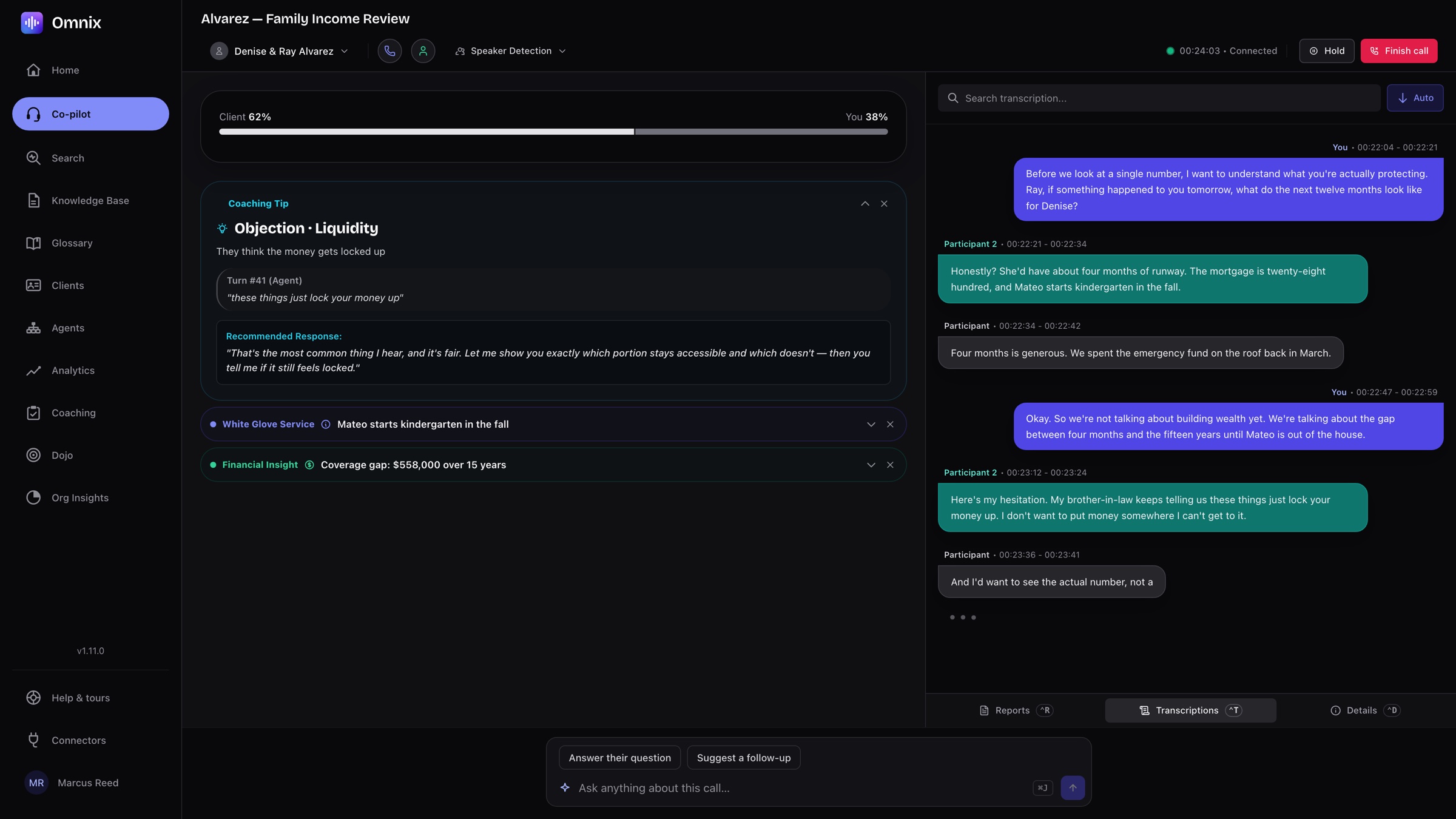
The objection card arrives mid-sentence.
Omnix listens to both sides of the call, separates the speakers, and watches the talk ratio. When the client raises a liquidity fear, a 401k comparison, a debt-first reflex or a crash worry, the matching card from your organization’s library appears with a recommended response. The transcript runs beside it, searchable.
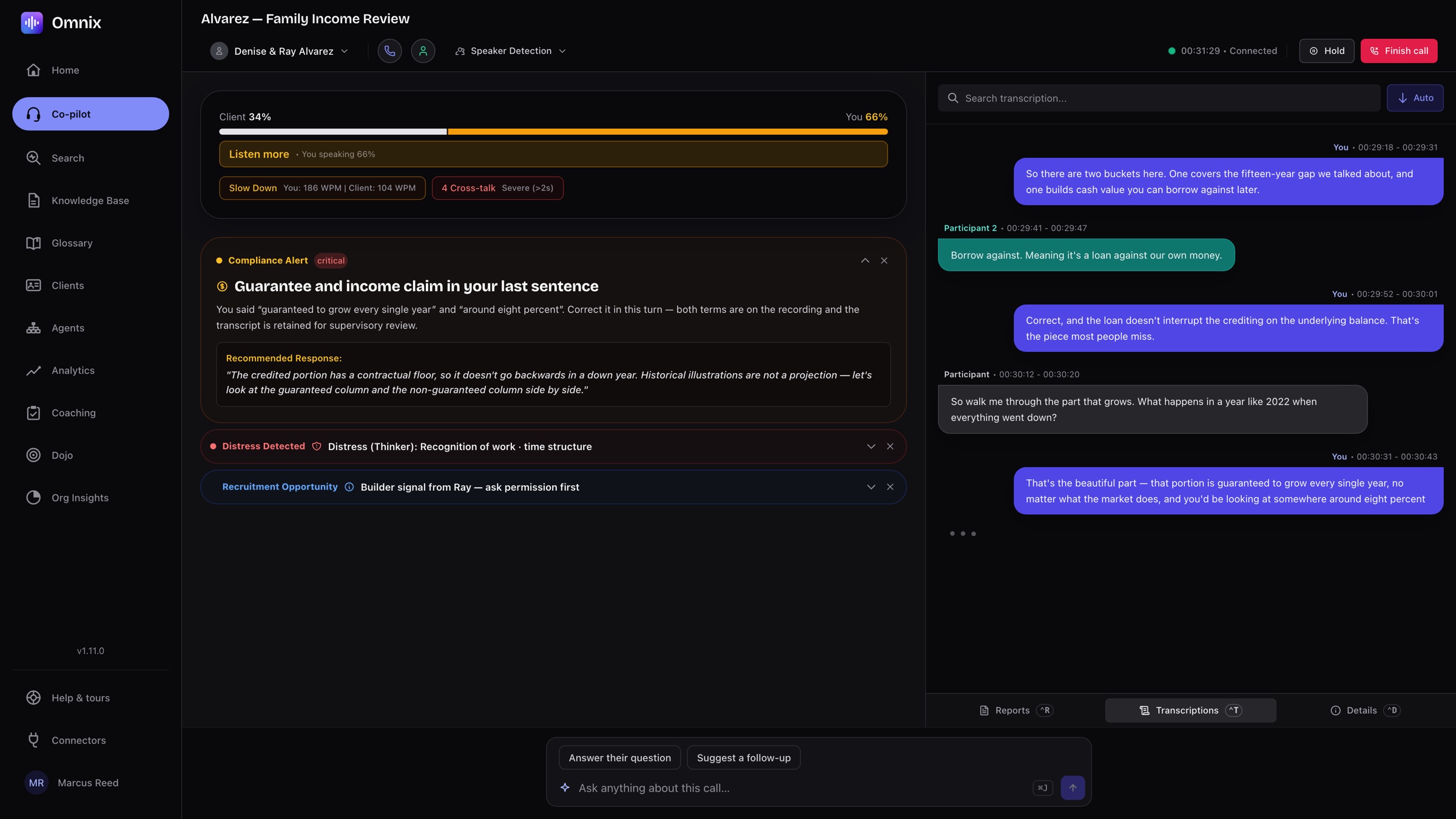
A compliance alert names the sentence.
Say “guaranteed to grow every year” or quote a return and Omnix flags your last sentence as a guarantee or income claim, with the corrective script, while you can still rephrase. Pacing, cross-talk and “listen more” nudges sit above it. Every alert is on the recording for supervisory review.
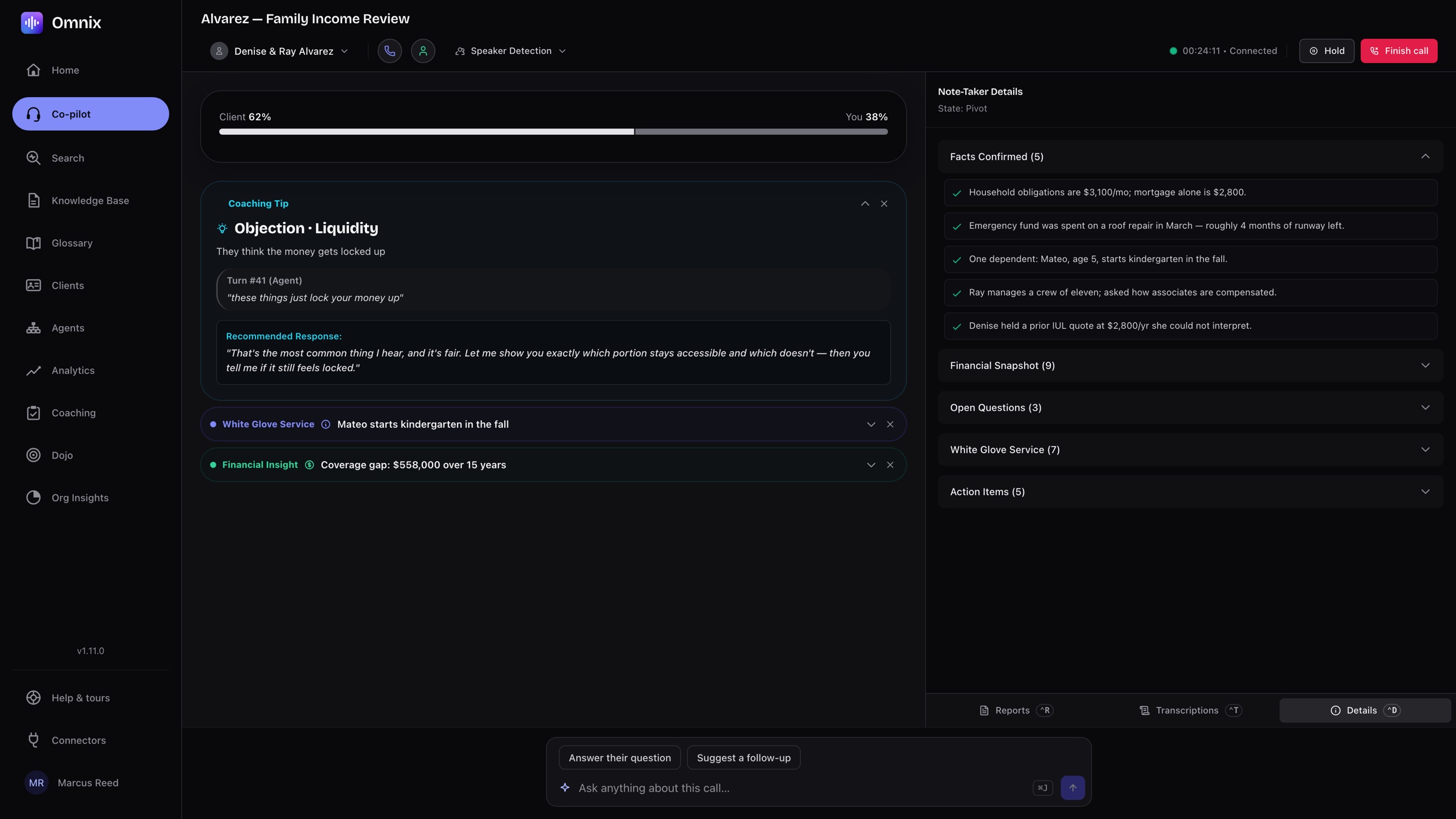
The note-taker collects facts as they are said.
Household obligations, the emergency fund, the dependents, the prior quote: confirmed facts, the financial snapshot, open questions and action items fill in during the call. The follow-up is written before you hang up.
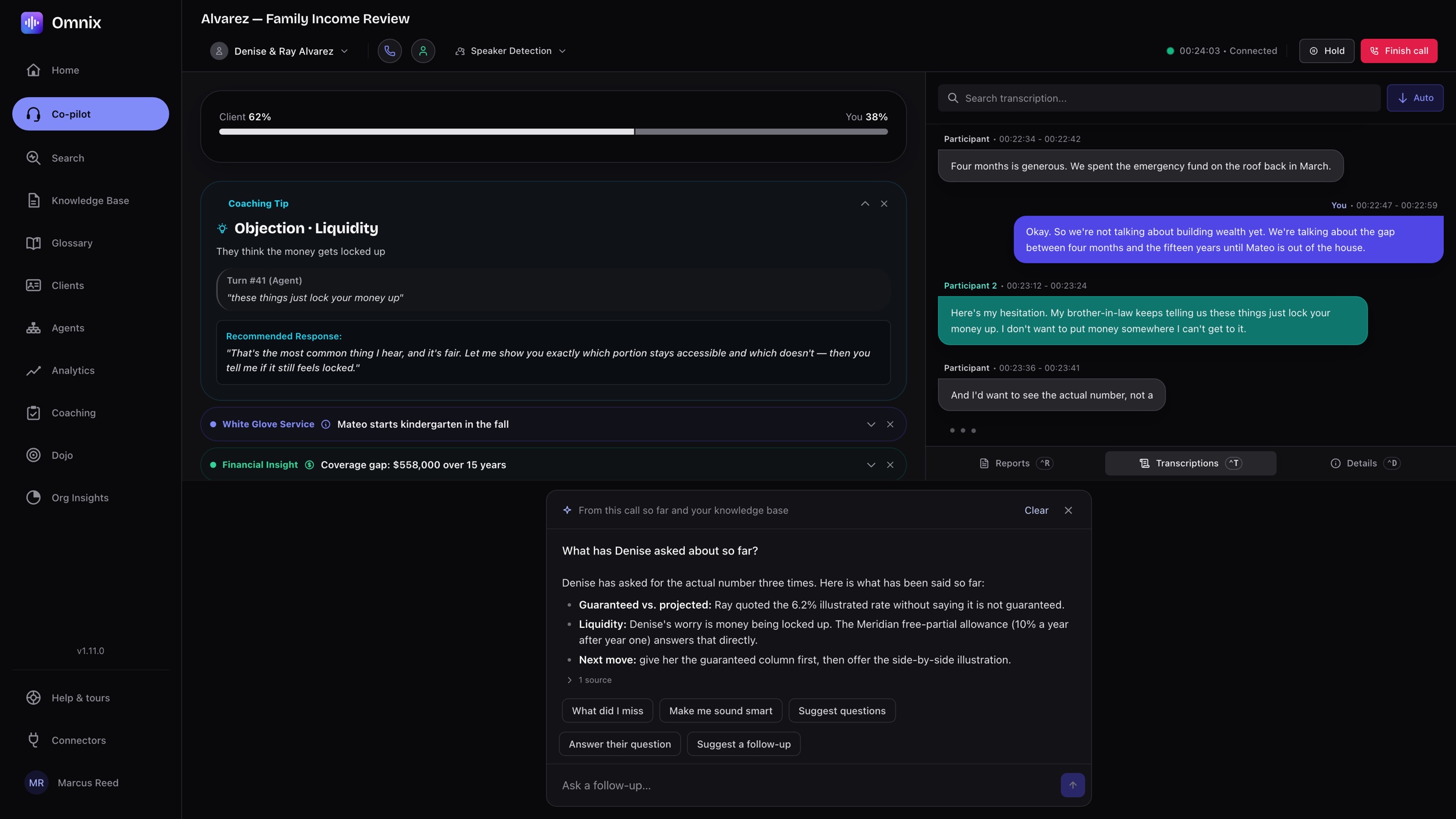
Ask the call a question, mid-call.
Open the Ask panel and ask what the client has already said, what you missed, or what to ask next. The answer comes from the call so far and your knowledge base, with its sources, and one tap writes the answer to their last question or a follow-up.
Practise out loud before the real call.
Dojo is a training room inside Omnix. Pick a skill, such as handling an objection, a recruiting call or a full client conversation, then pick a simulated client from easier to harder and talk to them by voice.
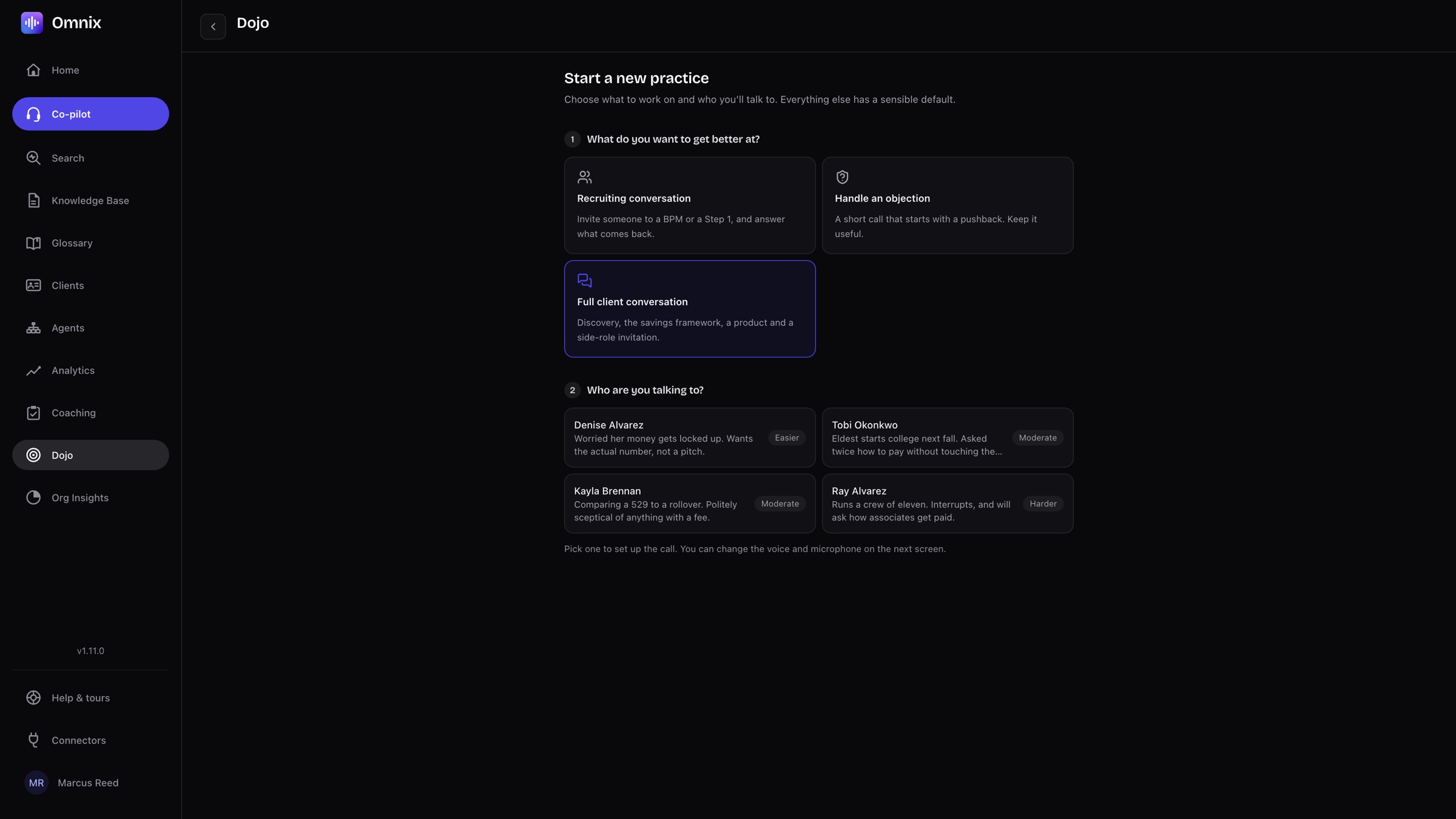
Every practice ends with a review.
When the call closes, Dojo reads it back with what worked and what to try next time. Your last practice sits at the top of the Dojo, with the review one click away and a button to run it again.
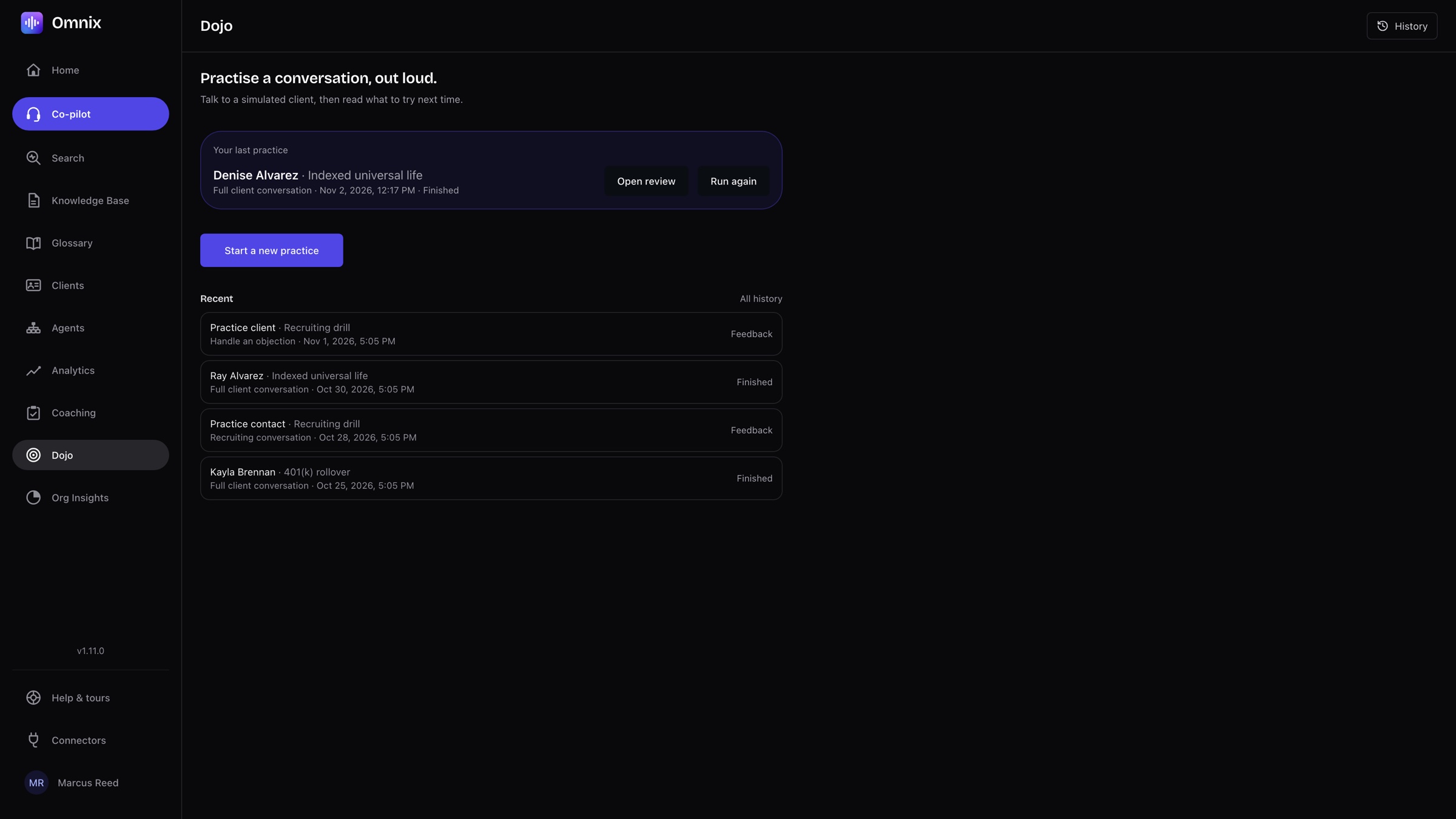
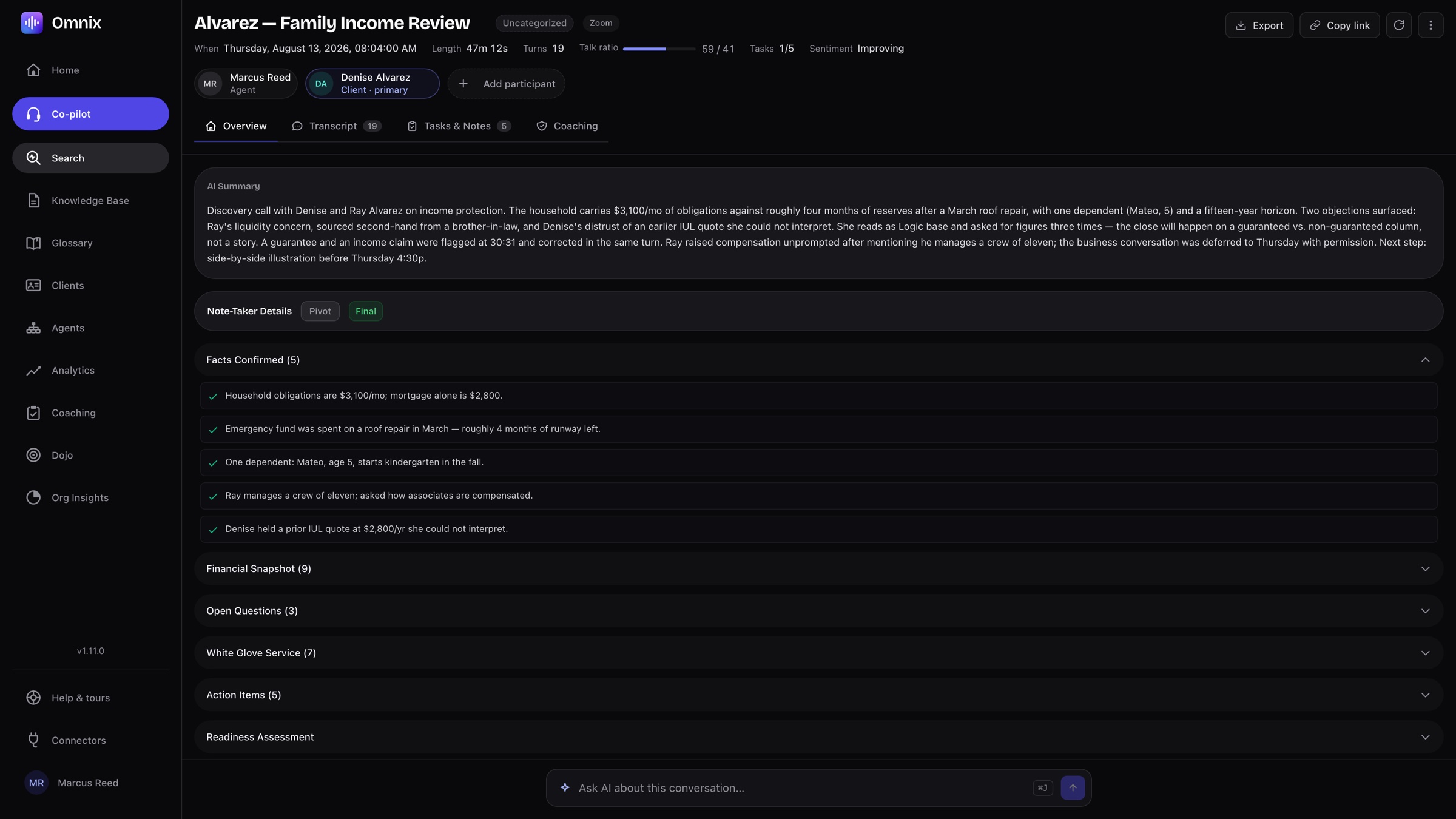
The summary is already there.
Length, turns, talk ratio, tasks and sentiment at the top; a summary that reads like a colleague wrote it; the note-taker’s sections underneath. Export it, copy a link, or ask Omnix a question about the conversation.
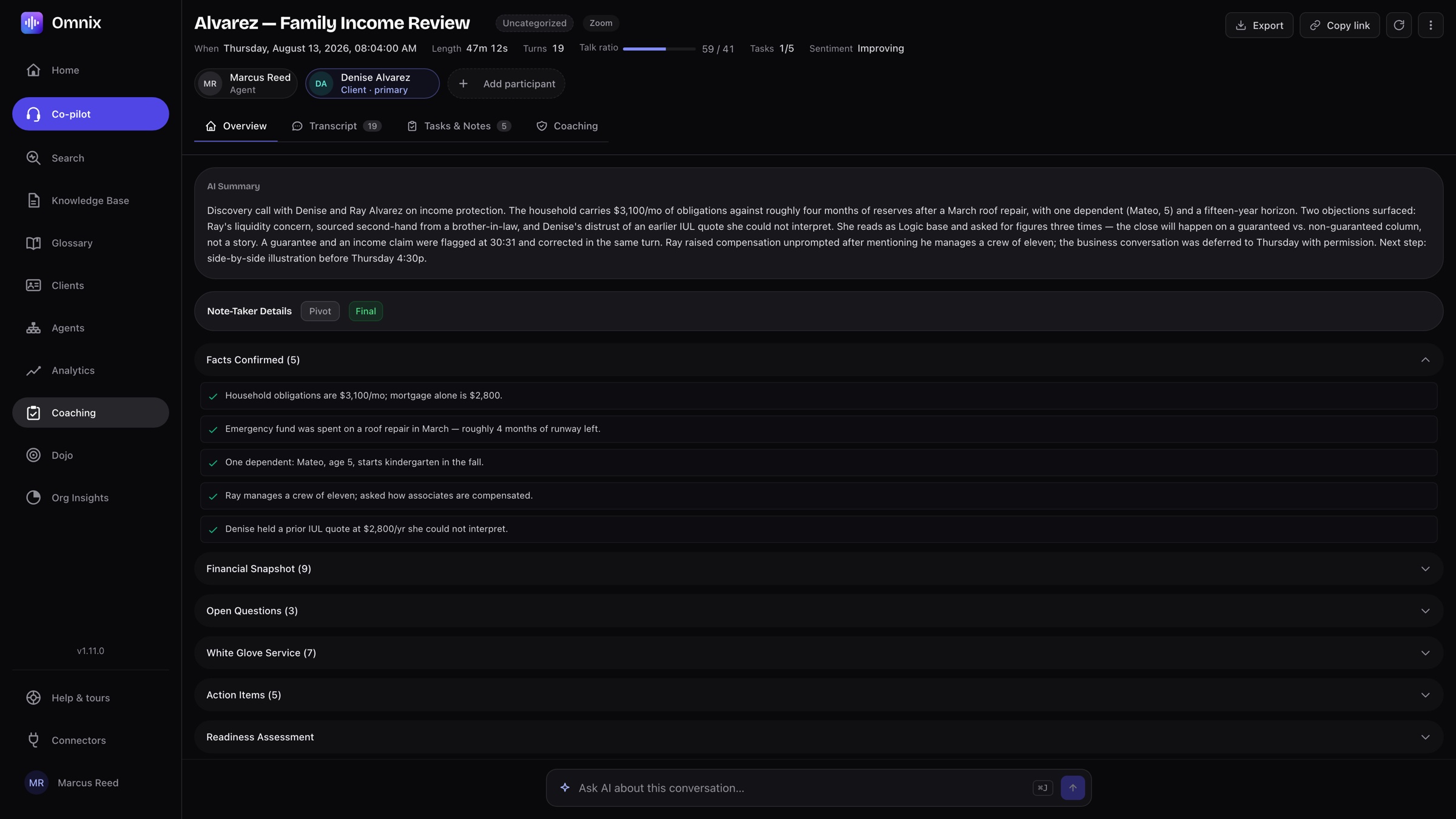
Coaching reads the whole conversation.
A conversation map scores rapport, communication-style alignment, clarity, objection handling and close readiness, with the gap under each. Managers and reps review the same report.
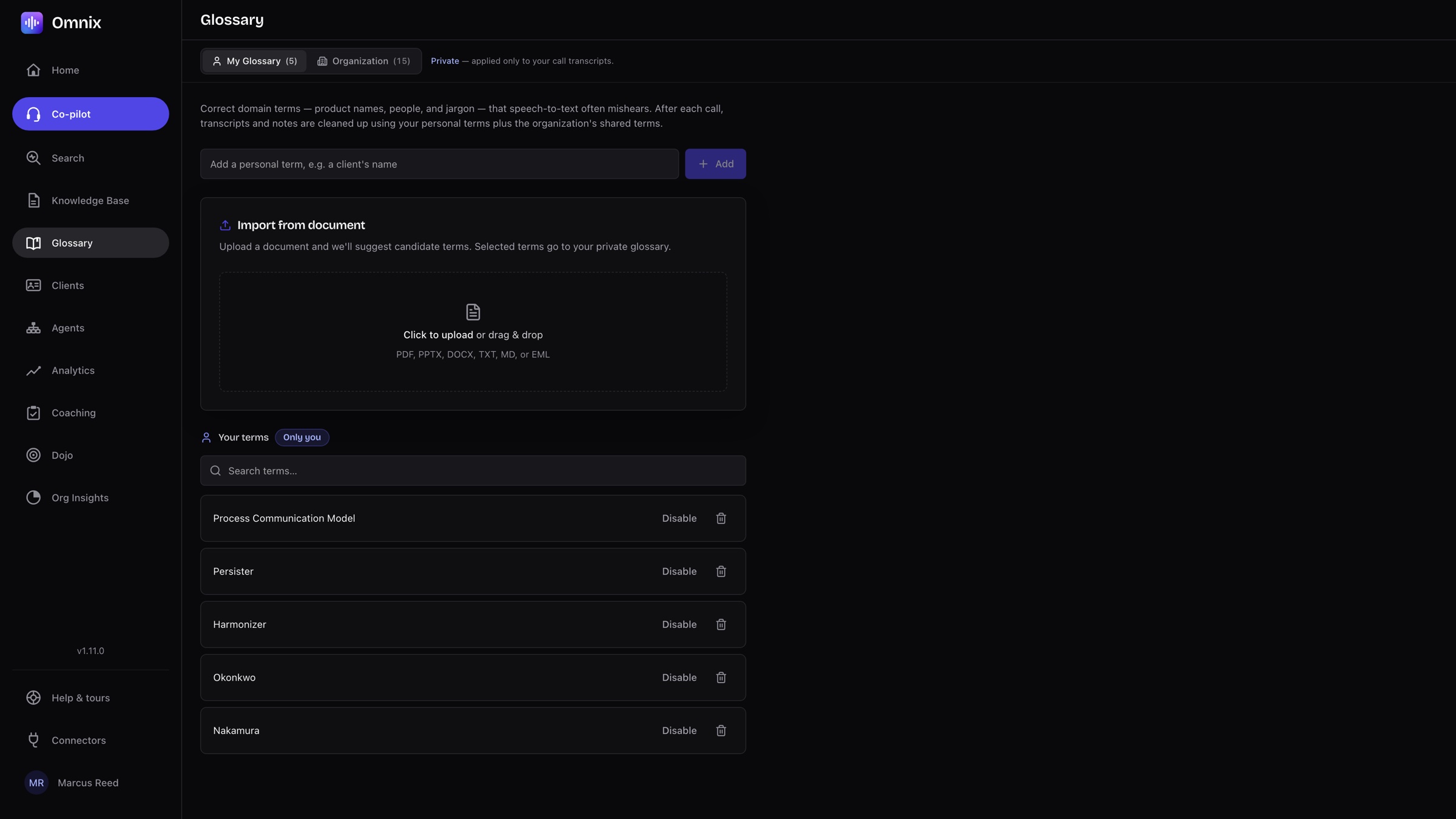
Ask your book of business a question.
“Who needs money for college” returns the clients who said so, the exact lines they said it in, and a summary across all of them. Filter by date, client, team depth, type, channel or speaker.
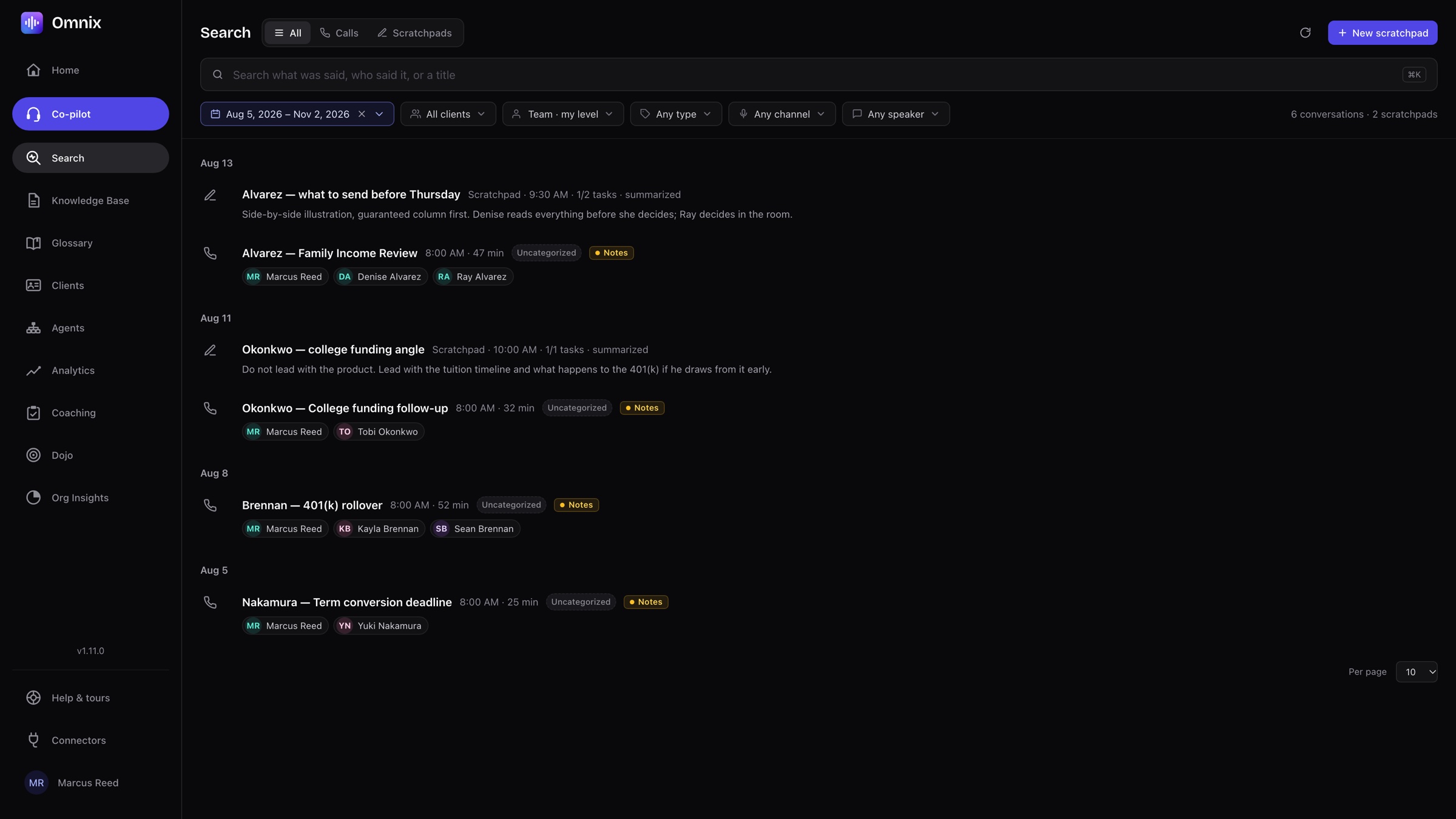
Your documents, shared with the organization.
Product guides, surrender schedules, onboarding playbooks and checklists, imported from Outlook, Google Drive or your desk. Searchable in the call, and answered with a source.
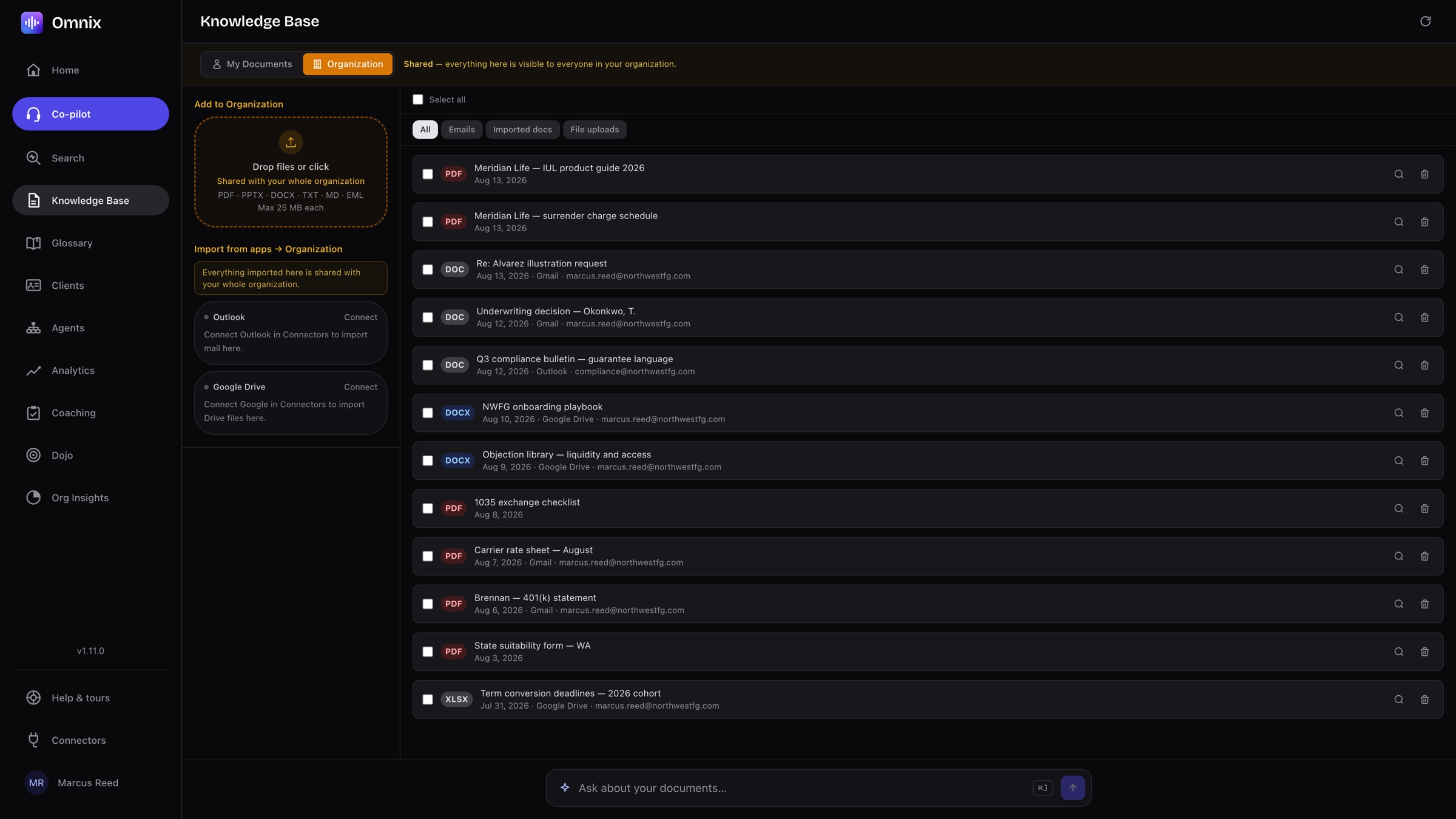
Ask AI answers from your own documents.
Ask “what is the surrender schedule on the Meridian IUL?” and get a plain answer, the numbers that matter for this client, and the exact pages it came from. Follow up in the same sheet.
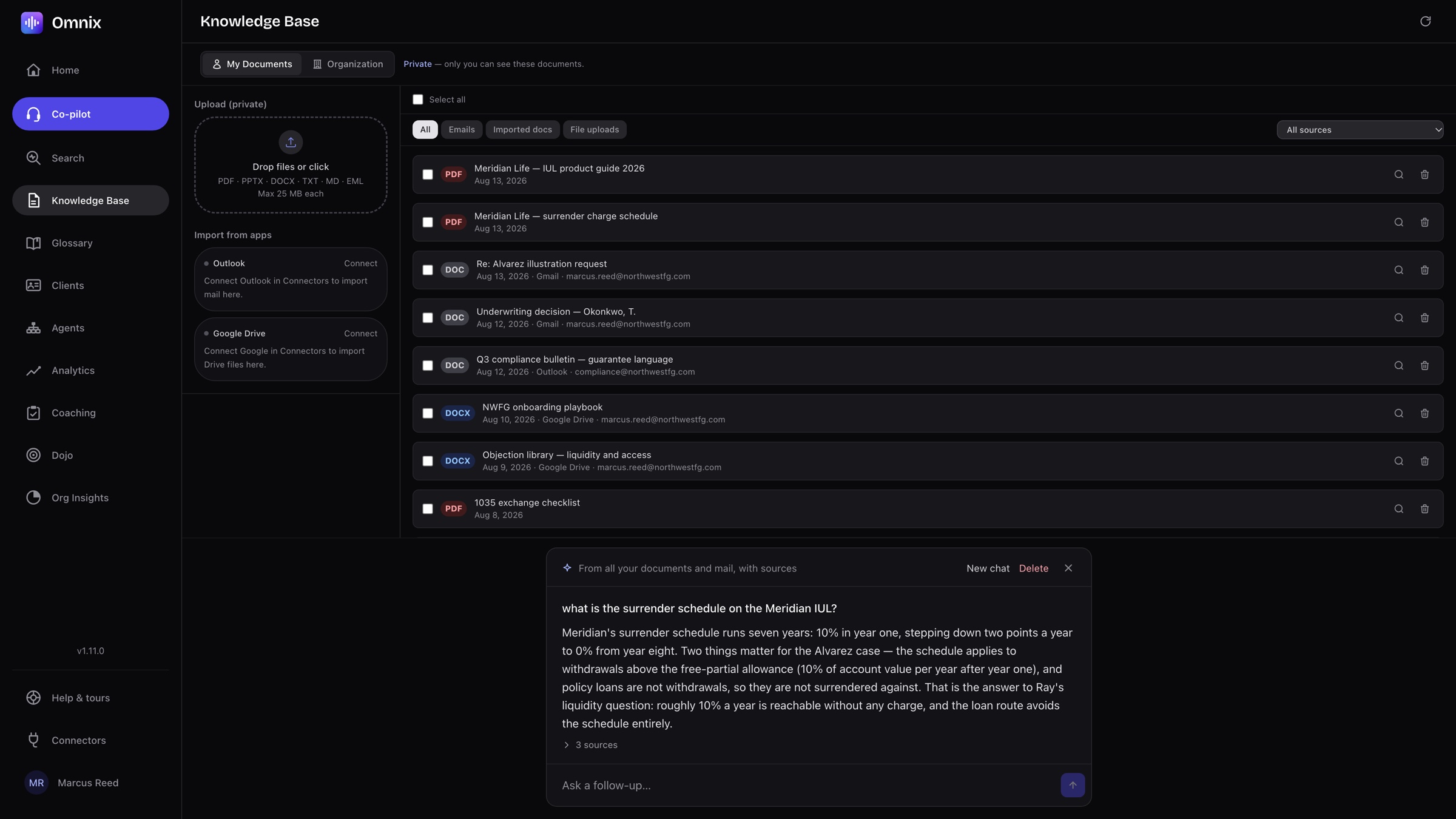
Mishears, fixed once for everyone.
Product names, people and jargon go into a personal or organization glossary and are corrected on every member’s transcript automatically.
The team, in one view.
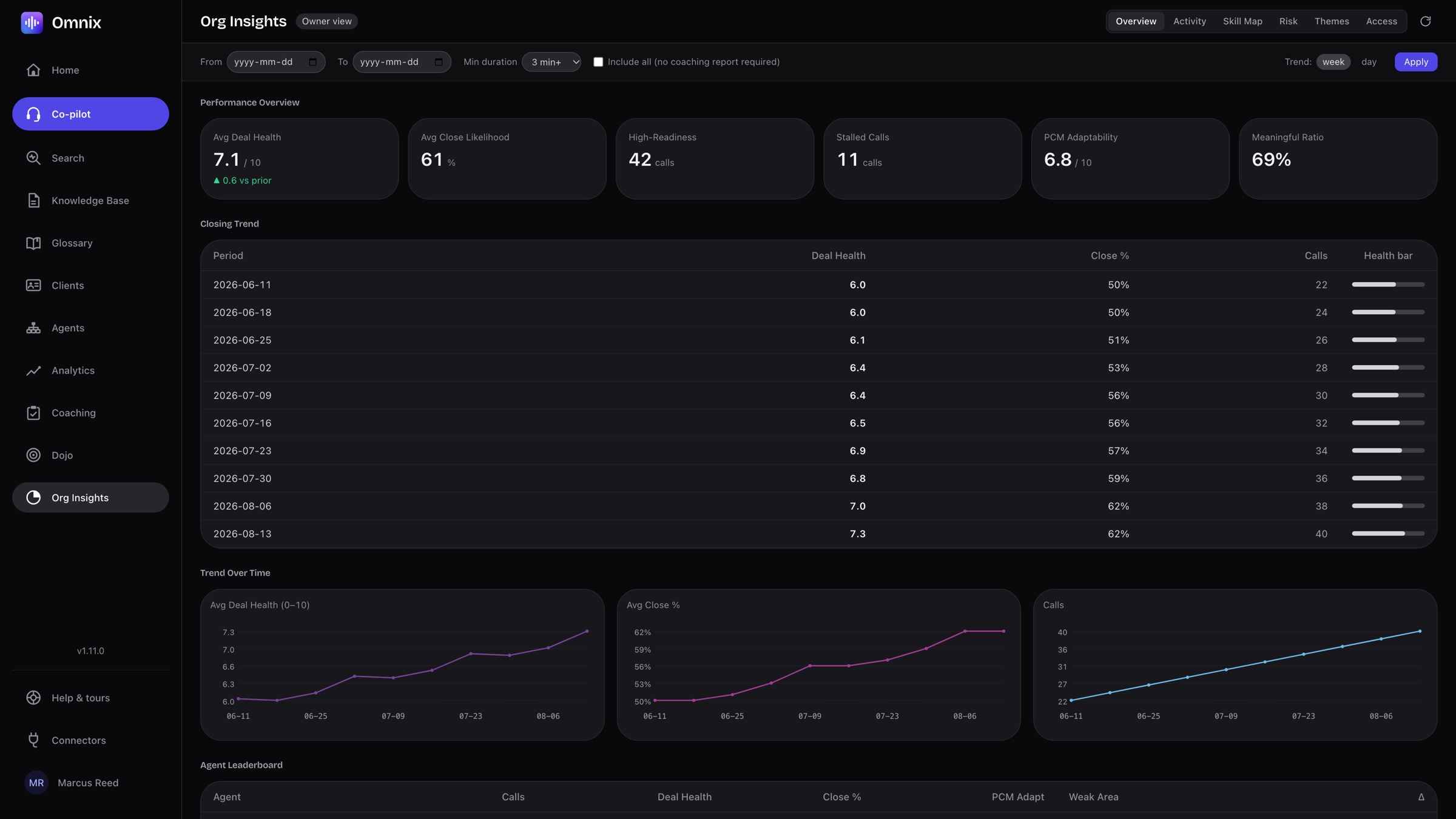
Deal health, close likelihood, high-readiness and stalled calls, adaptability and the closing trend week by week, with an agent leaderboard underneath. Activity, skill map, risk and themes have their own tabs.
Analytics for the whole book.
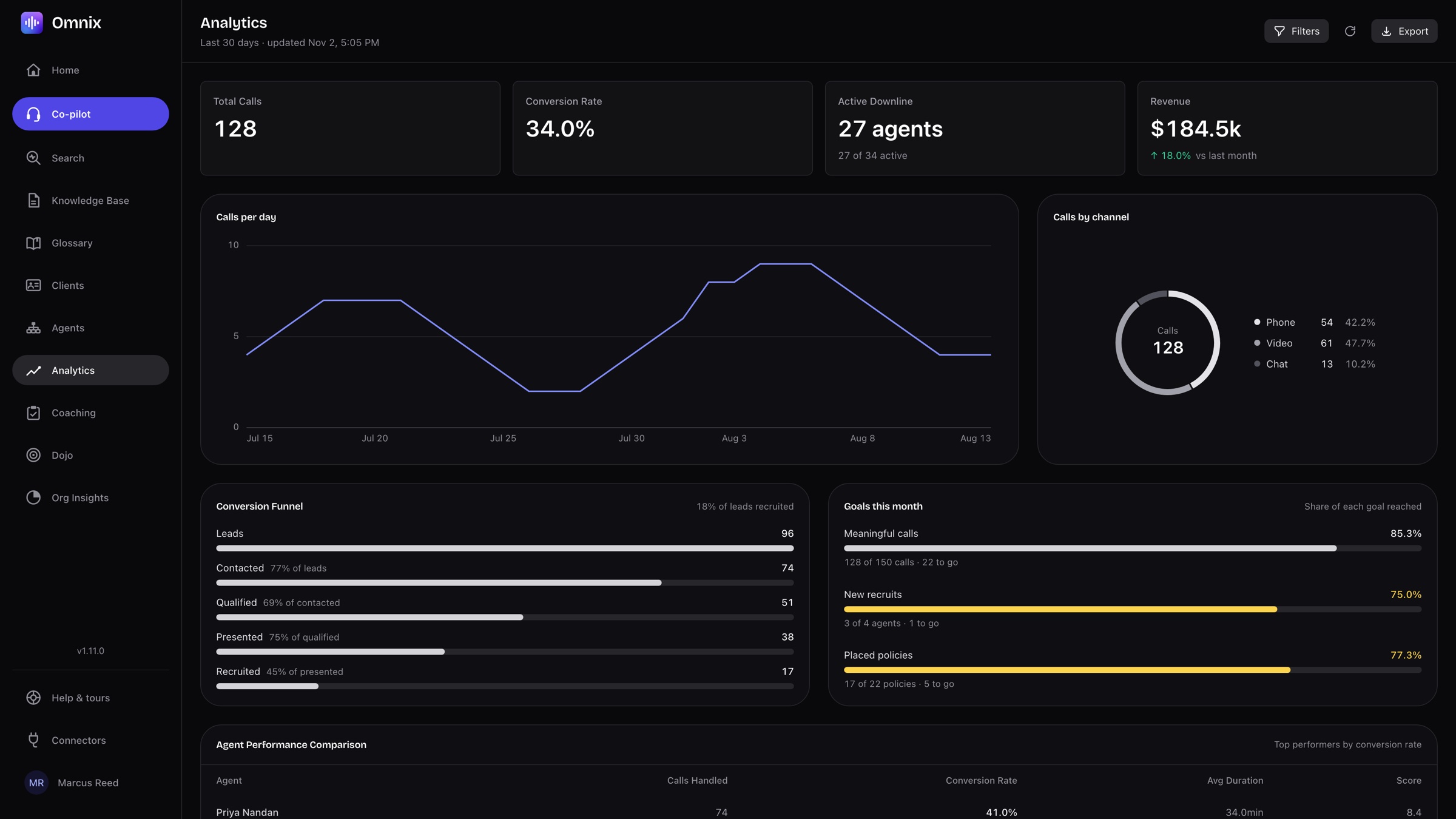
Total calls, conversion rate, active downline and revenue at the top. Calls per day, calls by channel, the funnel from lead to recruit, monthly goals and an agent performance table underneath. Filter the range and export it.
Connected to your calendar and Claude.
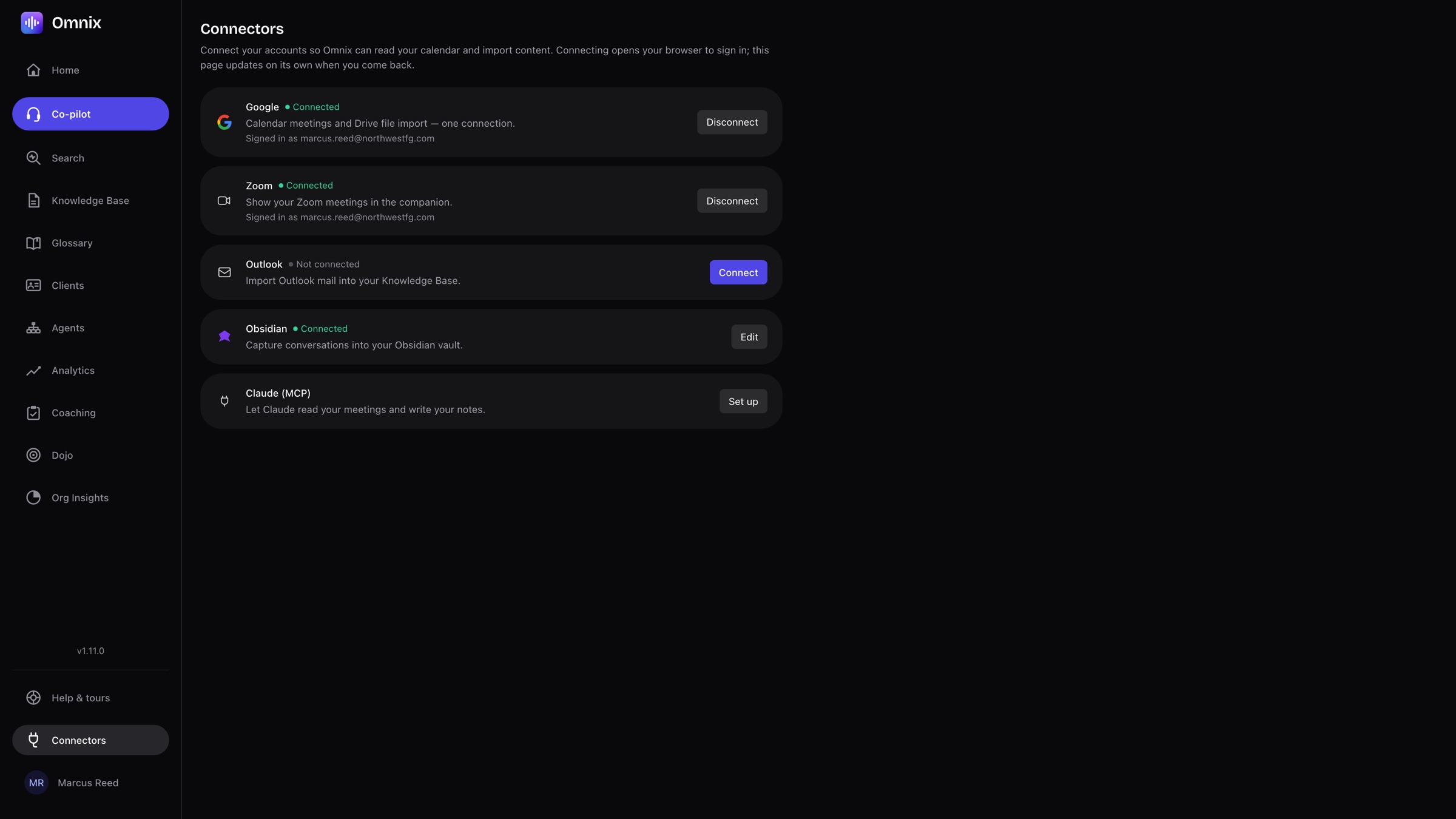
Google and Outlook for the schedule, Zoom for the call, Drive for documents, Obsidian for notes, and the Claude connector so an assistant can read and search your meetings with the same permissions you have.
Built for calls where trust is the product.
Agency leaders
Coach the whole team from one view, with every call searchable and the same compliance guardrails for everyone.
Life insurance and IUL specialists
Long discovery calls, nuanced products, clients who need the guaranteed column explained twice. The card arrives before the moment passes.
Tax-reduction teams
Precise language matters. Omnix catches the promise you did not mean to make and keeps the facts straight for the follow-up.
How Omnix uses your Google data.
Omnix is a meeting assistant for advisor teams: it records and transcribes your calls, then turns them into notes, summaries, and follow-up. Connecting your Google account is optional. If you connect it, Omnix asks only for the narrowest access each feature needs, and uses it only for the features below, for you.
Google Calendar (read-only)
Reads the list of calendars you subscribe to and their upcoming events, to show your meetings on the Omnix home screen and menu-bar companion and remind you when a meeting is about to start so you can record it in one click. Omnix never creates, edits, or deletes calendars or events.
Google Drive (only files you pick)
You choose files in Google's own file picker, and Omnix imports just those into your knowledge base so they are searchable during and after calls. Omnix cannot see the rest of your Drive, and never changes or deletes your files.
Your Google data is never sold, never used for advertising, and never used to train AI models. You can disconnect Google at any time from the Connectors page in Omnix, which deletes the stored access tokens.
Omnix's use of information received from Google APIs adheres to the Google API Services User Data Policy, including the Limited Use requirements. See our Privacy Policy for details, or sign in to Omnix.
Questions, answered.
Get Omnix
Take your next call with Omnix. The first two hours are free.